Multiple Screen Support
X-Win32 can be configured to accept DISPLAYS with multiple screens (192.168.5.2:0.0,
192.168.5.2:0.1, 192.168.5.2:0.2 etc). Select the number of screens you would like
to use to enable multiple screen support.
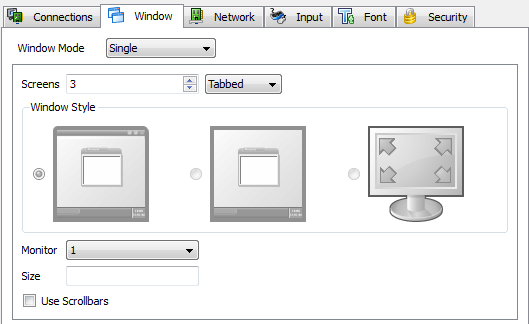
Multiple Screen support is only available in Standard Window Style (See below for more options)
Windowed
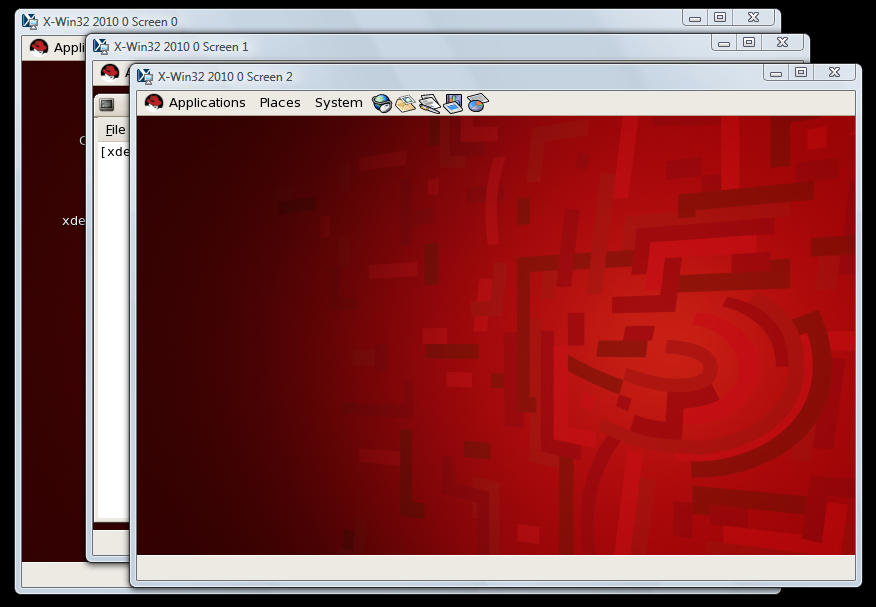
Each screen will appear in its own window and can be moved independently of the other
screens
Tabbed
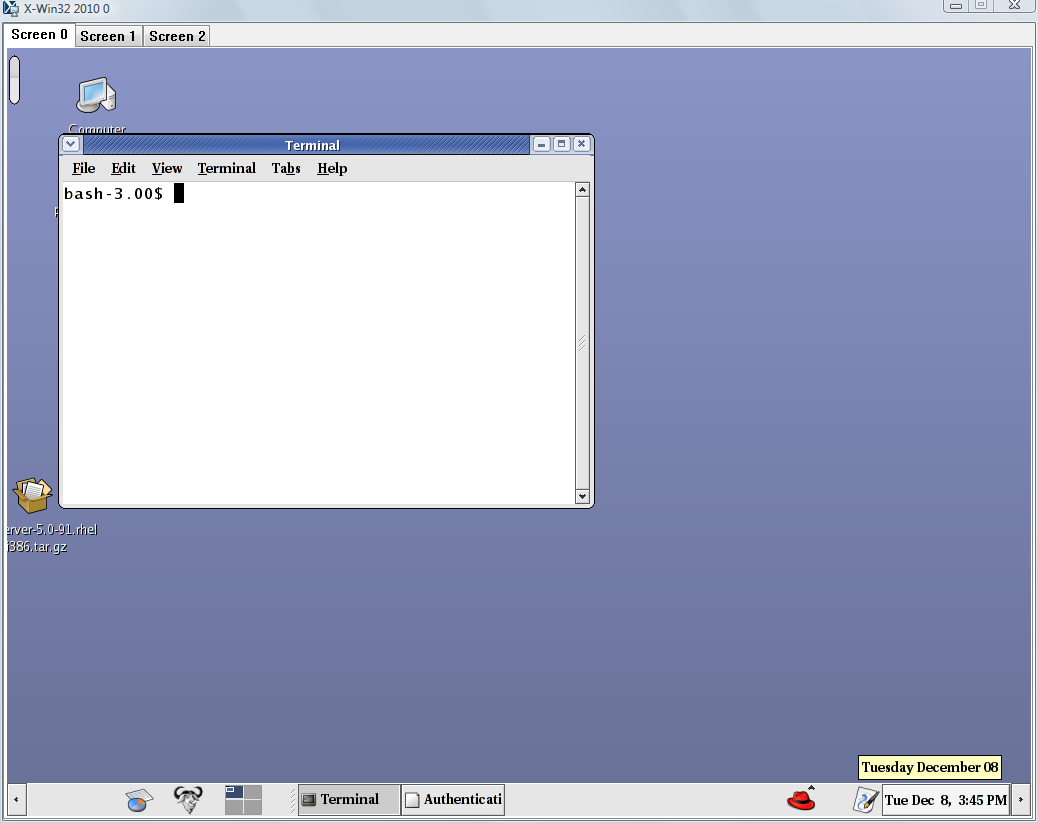
All screens are contained in one window and can be switched by clicking on the tab
with the screen number you would like to view.